Free receipt template and generator
Fill in what was paid, when and how, and the receipt builds in any of the seven IQ Books designs, stamped as paid. Save it as a PDF or download a Word file. No sign-up, and VAT only if you are registered.
Nothing you type is sent to us. The receipt is made in your browser, and your draft is kept in this browser only.
Download PDF opens your browser’s print window: choose Save as PDF. The PDF is the exact design above, with real text.
IQ Books by ReconcileIQ
Where receipts actually come from
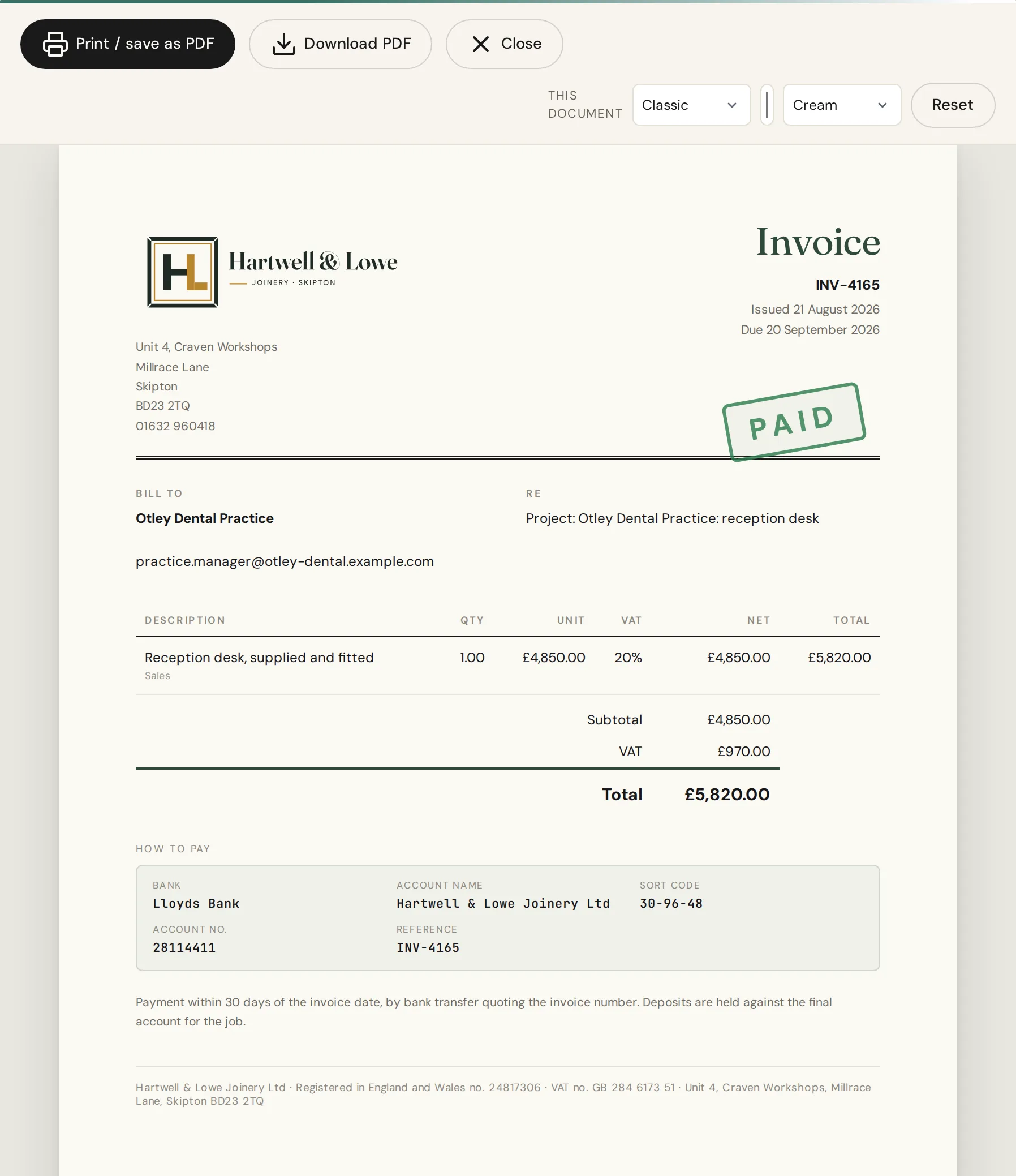
In the UK a receipt is usually the invoice marked as paid. That is how this tool prints it, and it is what IQ Books does for you the moment a payment comes in.
01
Payments that keep the books for you
Record a payment against an invoice and IQ Books marks it paid, matches it to the bank line it arrived on, and keeps the customer’s statement and your aged debtors right. The receipt is simply the paid invoice, ready to send.
- Part-payments and on-account money handled properly
- Matched to the bank line, so the bank reconciliation agrees
- Credit notes when something needs undoing, never a deleted invoice
02
And the receipts you are given
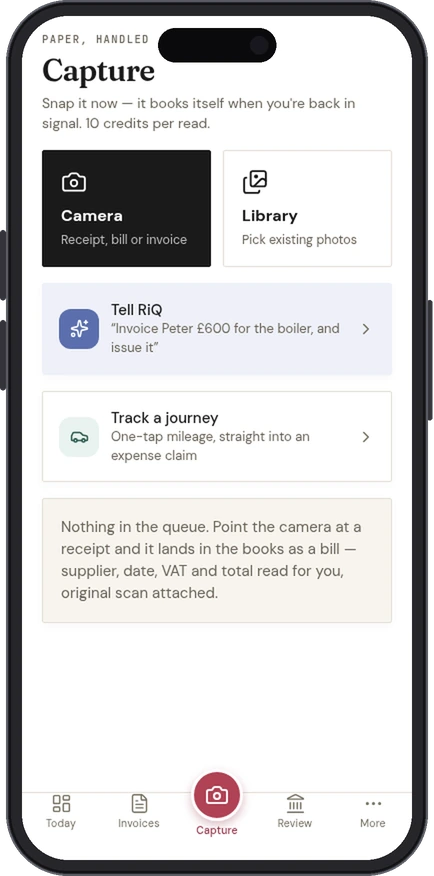
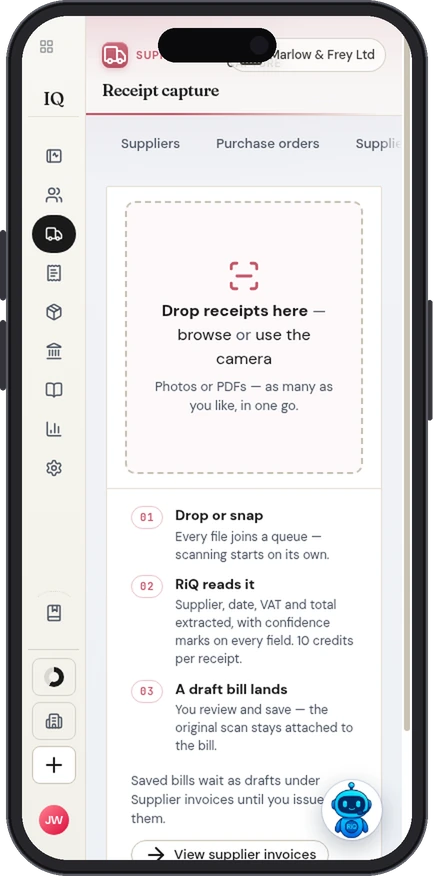
Receipts work both ways. When a supplier hands you one, photograph it or upload it and IQ Books reads the supplier, date, VAT and total, attaches the image to the bill, and puts it in the right place in your books.
- Photo it on your phone, or upload a PDF, with every field shown for you to check
- The original image stays attached for the audit trail
- Reading a receipt uses credits; typing one in yourself is always free
03
Share a link. Get paid by card or bank.
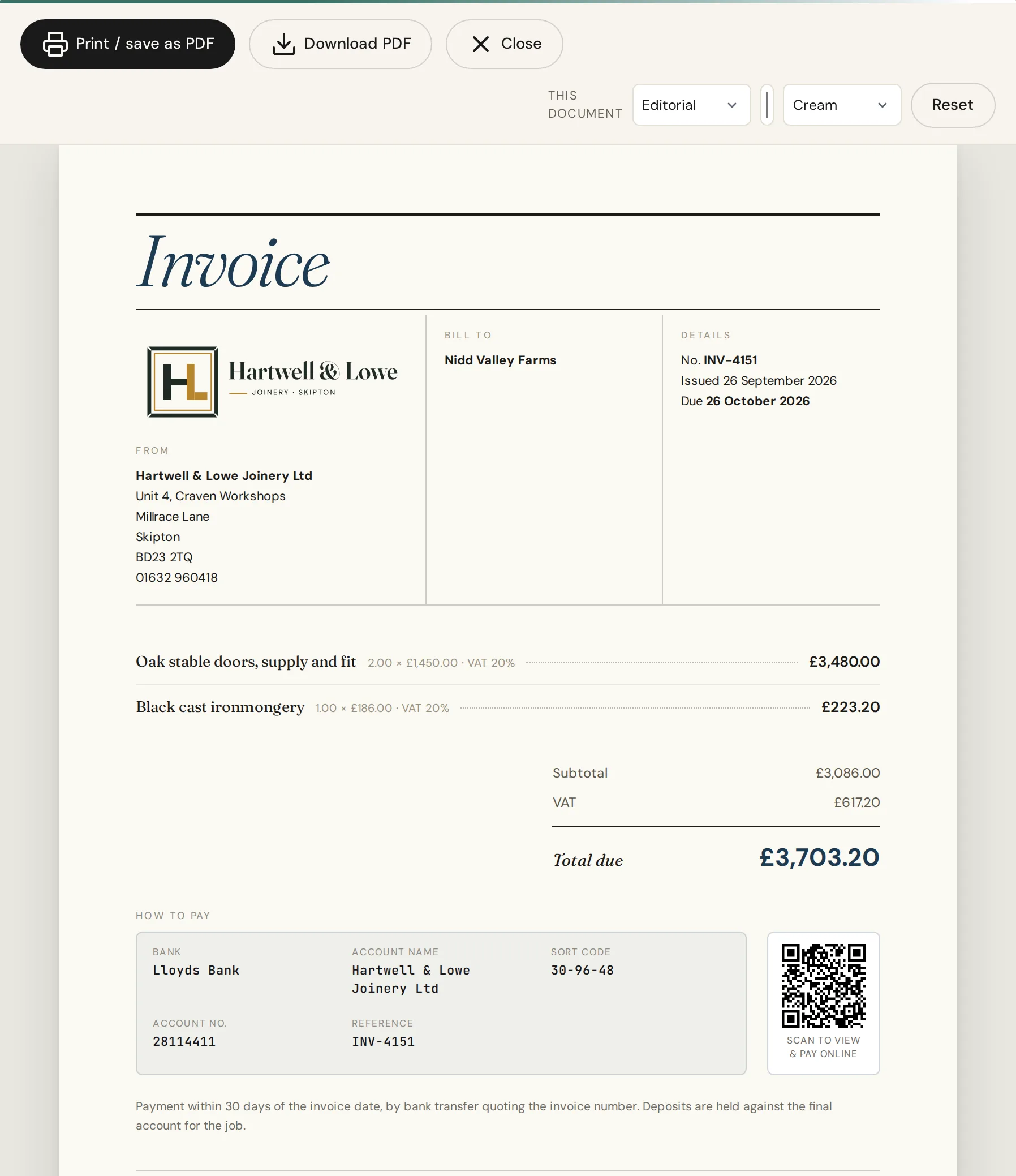
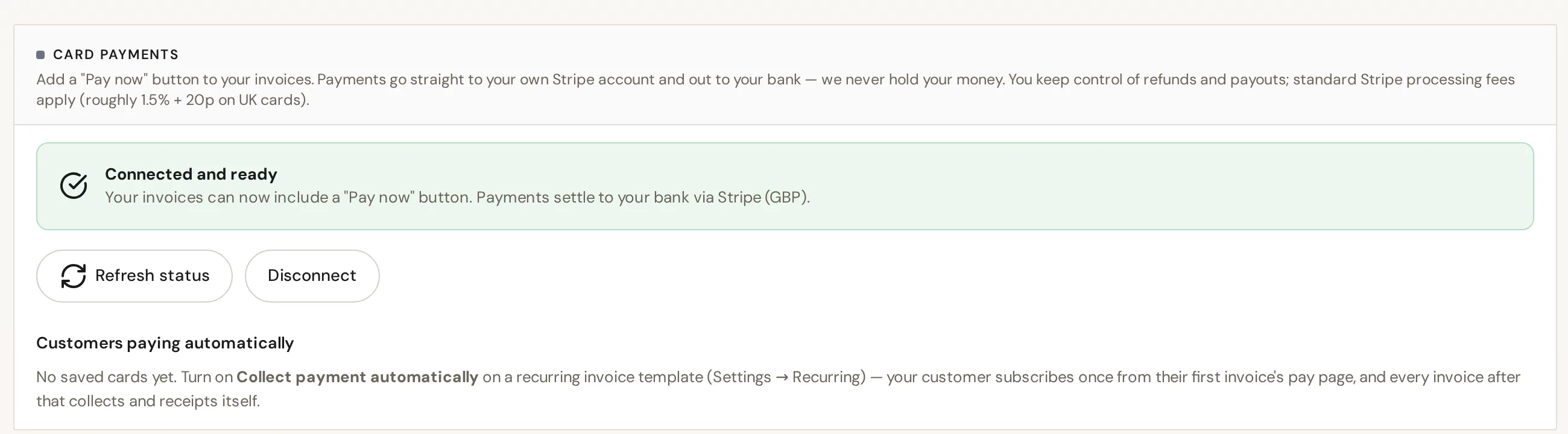
Every invoice gets its own pay page. Send the link however you like, and the invoice carries a scan-to-pay QR code too. Card payments go through your own Stripe account, so the money lands with you.
- A hosted pay page for every invoice, shared by link
- Scan-to-pay QR code printed on the invoice
- Card payments through your own Stripe account (Stripe’s fees apply), with bank details as the fallback
- Deposits: ask for part now, with the balance due later
04
Your house style, set once
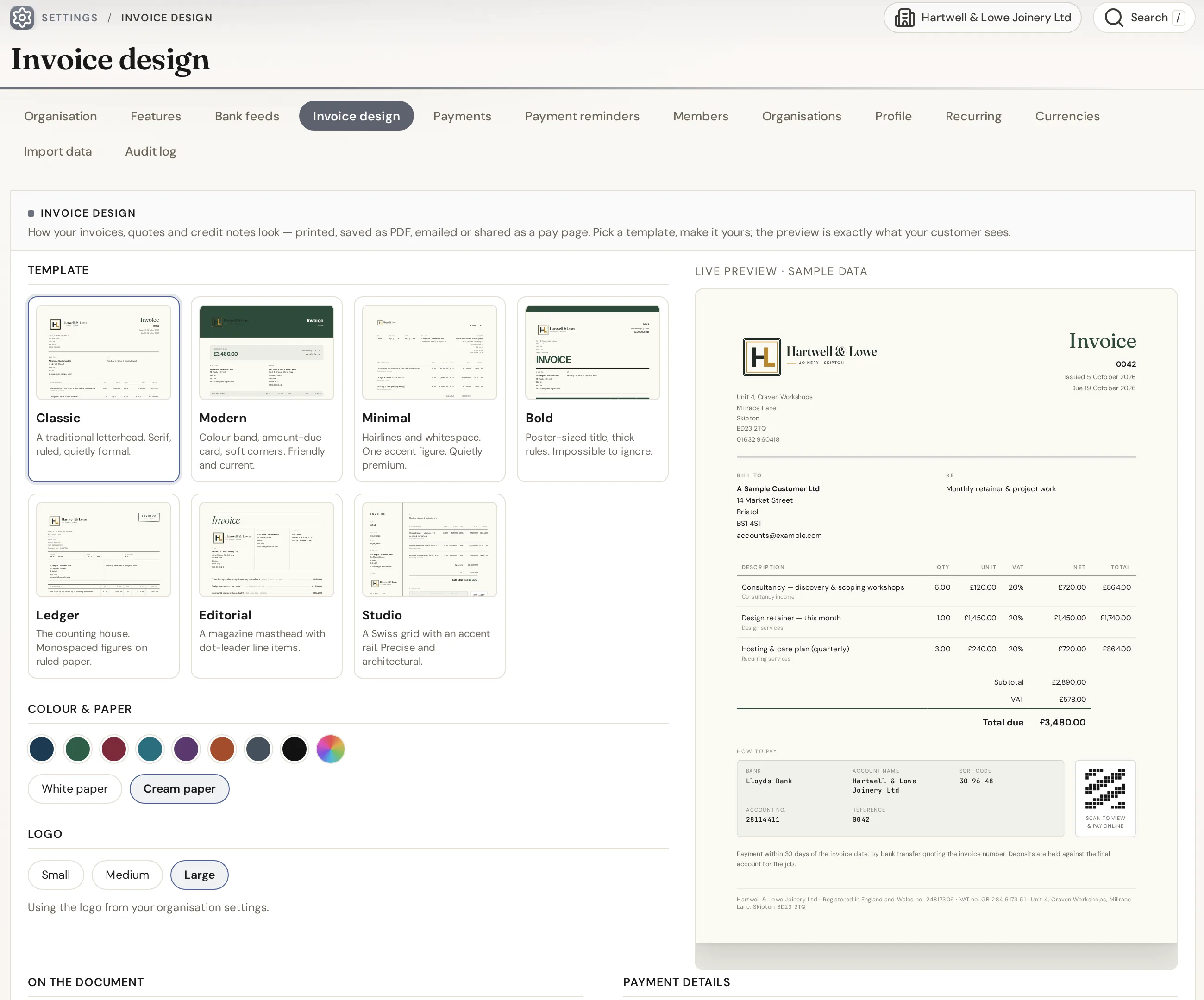
The seven designs on this page are IQ Books’ own invoice templates. In IQ Books you pick one as your house style, choose a colour and paper, and every invoice, quote and credit note follows it, on paper, on screen and on the pay page.
- Seven designs, eight colours, white or cream paper
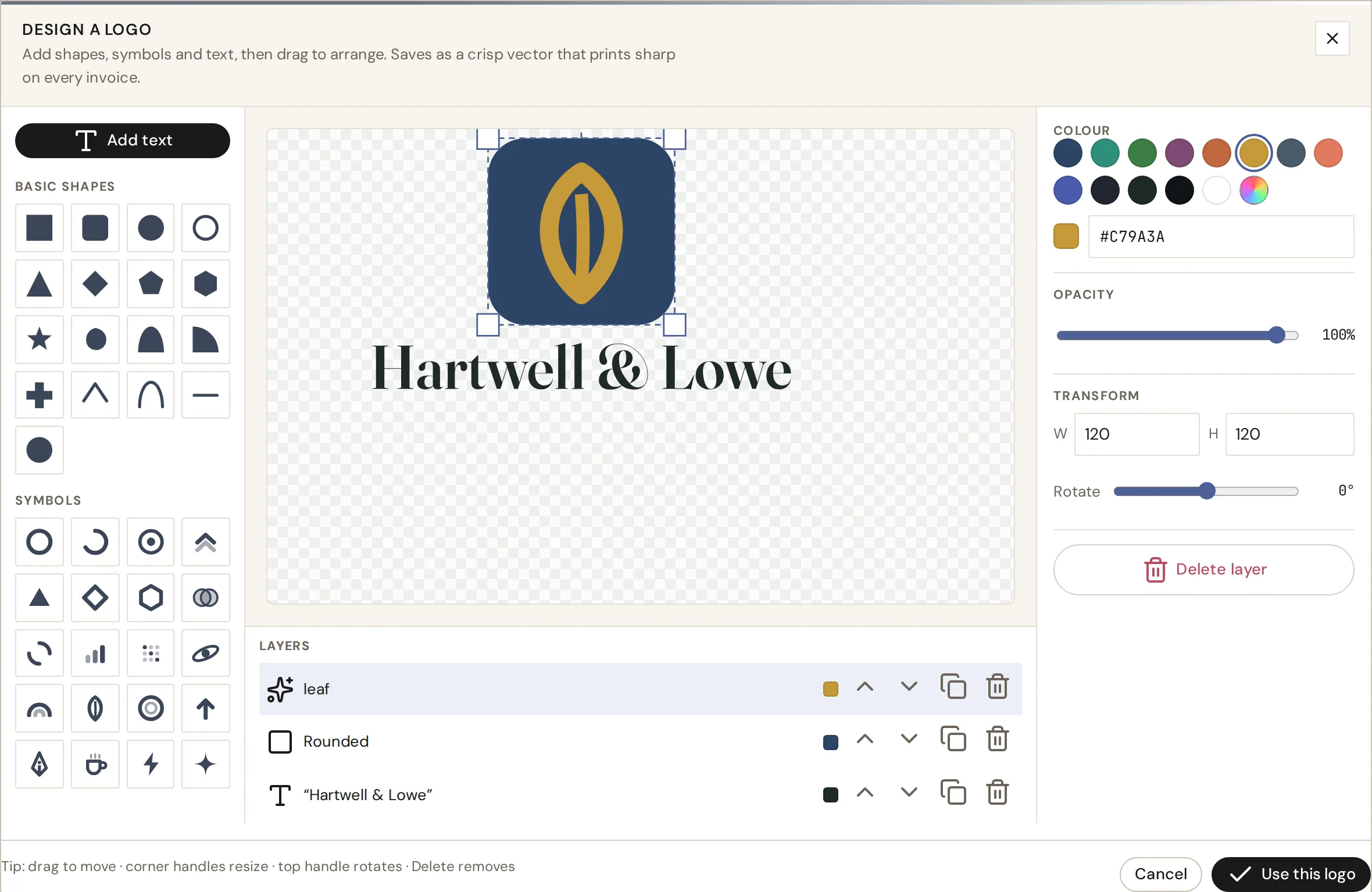
- Logo Studio: design a logo inside IQ Books, with shapes, symbols, text and layers, or upload your own
- Text in your logo is outlined, so it prints exactly as designed
05
On your phone, or just say it
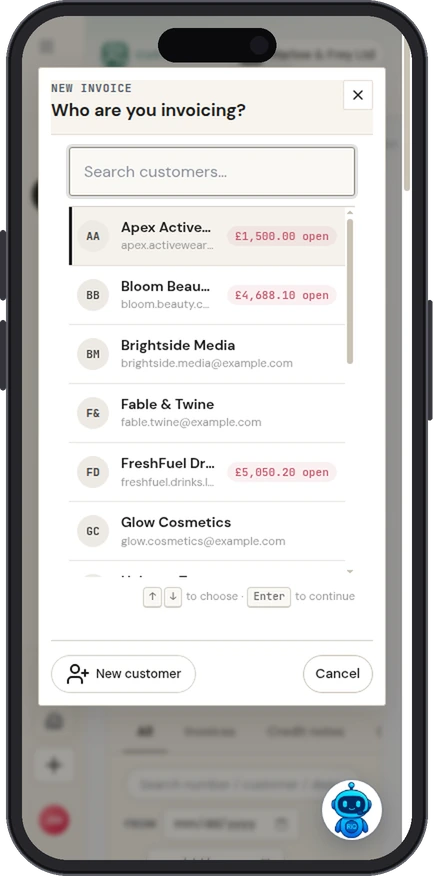
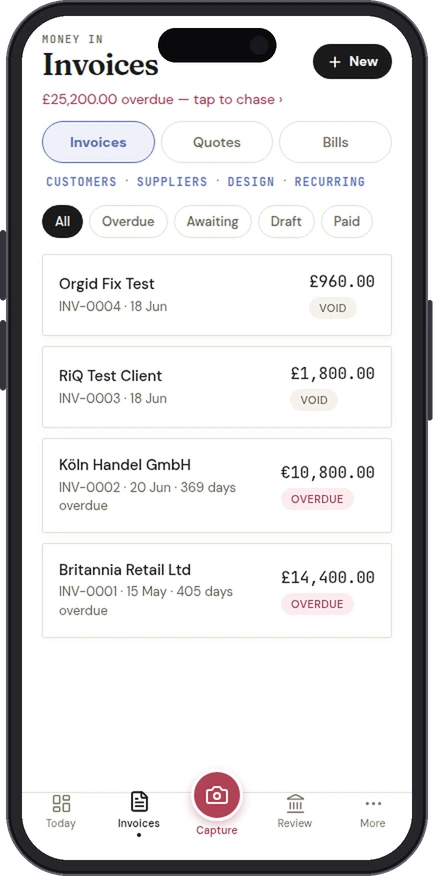
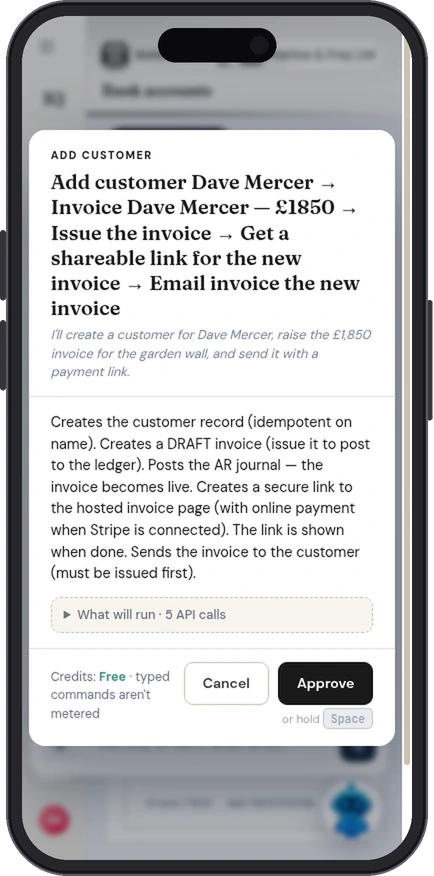
IQ Books works in your phone’s browser today, and the IQ Books app, coming soon to the App Store and Google Play, raises invoices and quotes with the pay link and QR code ready to show the customer. Or ask RiQ, the assistant built into IQ Books, to raise one by voice.
- Invoices and quotes from the phone, in any currency
- Show the QR code to be paid on the spot
- RiQ voice: “Invoice Nidd Valley Farms for two days at £450” (voice commands use credits)
06
Email it, and let reminders chase it
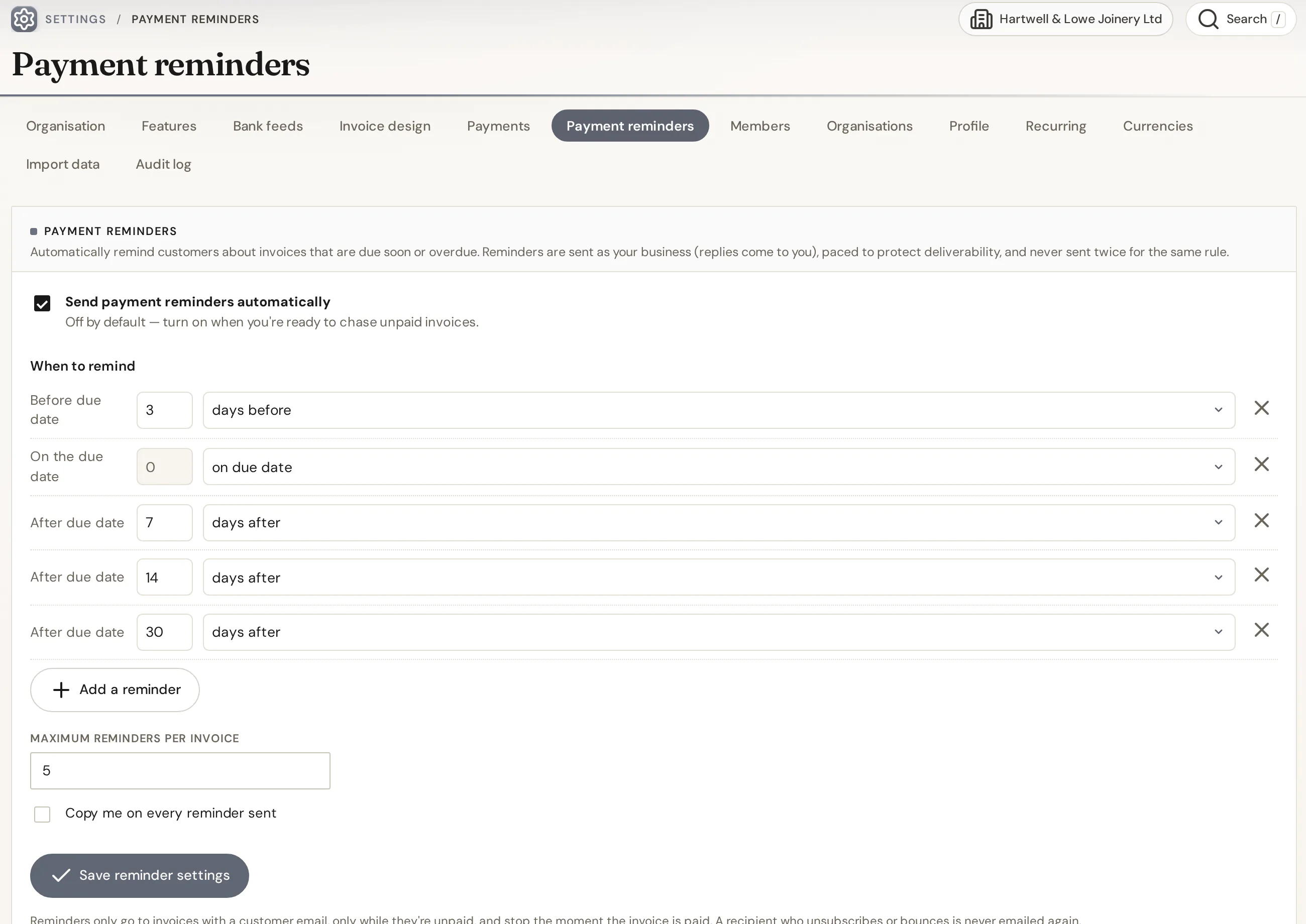
On a paid plan, invoices and quotes go straight from IQ Books to your customer’s inbox, and automatic reminders follow up on a schedule you set. They stop on their own when the invoice is paid.
- Email invoices, quotes and statements from the app
- Automatic payment reminders before and after the due date
- Paid plans start at £5 a month and include credits for automation
Everything above, free
One organisation with the whole IQ Books ledger: invoices, quotes and credit notes in all seven designs, Logo Studio, pay pages and QR codes, card payments through your own Stripe account, deposits, recurring invoices and subscriptions, customers and suppliers, bank, VAT returns and Making Tax Digital filing. Typing and coding by hand is always free; automation such as reading receipts and coding bank lines draws on 1,000 free credits.
Add email and reminders
Emailing invoices from the app and automatic payment reminders come with every paid plan, from £5 a month. Paid plans also carry monthly credits for the automation, so the bookkeeping keeps doing itself.
Guide
What a receipt is for
An invoice asks for money. A receipt confirms you have it. GOV.UK puts it simply: an invoice is not the same as a receipt, which is an acknowledgement of payment.
What to put on a receipt
- A receipt number
- Your business name, address and contact details
- Who paid you
- The date of payment and how it was paid
- What the payment was for, with the amount
- The invoice number it settles, if there was one
Receipts and VAT
If you are VAT registered and sell to the public, you can give a simplified VAT invoice for a supply of £250 or less. It needs your name, address and VAT registration number, the time of supply, a description of what was supplied, and for each VAT rate the total including VAT and the rate. Switch on VAT in the template and the receipt shows those details. If you are not VAT registered, leave VAT off: you cannot charge it or show a VAT number.
Keep a copy
Keep a copy of every receipt you give and every one you get. They are part of your business records, and for your own purchases they are the evidence behind the expenses you claim.
Sources, checked 5 October 2026: GOV.UK: Invoices, what they must include; HMRC: VAT guide (VAT Notice 700), sections 16 and 17.
Questions
Frequently asked
About this template, and what IQ Books does with your receipts.
Is this receipt template free?
Yes. It is free with no sign-up and no limit on how many receipts you make. Save each one as a PDF with your browser’s Save as PDF, download a Word document, or print it.
What should a receipt include?
A receipt number, your business details, who paid you, the payment date and method, what the payment was for and the amount. If it settles an invoice, include the invoice number.
What is the difference between a receipt and an invoice?
An invoice asks for payment. A receipt confirms that payment has been received. GOV.UK describes a receipt as an acknowledgement of payment.
Can a receipt work as a VAT invoice?
If you are VAT registered and the supply is £250 or less, a simplified VAT invoice is allowed when the customer agrees. It must show your name, address and VAT number, the time of supply, a description, and for each VAT rate the total including VAT and the rate.
Can I add my logo?
Yes. Upload a PNG or JPG logo in the form and it appears on the receipt, the PDF and the Word file. It stays in your browser.
Is anything I type stored or sent anywhere?
No. The receipt is built in your browser and nothing is sent to us. Your draft is kept in this browser only, so a refresh does not lose it, and Clear form removes it.
Is a receipt the same as a paid invoice?
Usually, yes. In the UK a receipt for an invoiced sale is most often the invoice marked as paid, showing what was paid, when and how. This tool prints it in that form, with a PAID stamp, in any of the seven IQ Books designs.
Is IQ Books free?
Yes, there is a free plan. It gives one organisation the whole IQ Books ledger, including invoices and payments, receipt capture, customers and suppliers, bank, VAT returns and Making Tax Digital filing. Paid plans add emailing from the app and automatic reminders, plus monthly credits for automation.
Paid, recorded, reconciled.
Record payments against invoices, keep the receipts you are given, and let the bank and the books agree, all on the free plan. Emailing receipts and invoices from the app comes with paid plans, from £5 a month.