Free invoice template for UK businesses
Fill it in and watch it build, in any of the seven designs IQ Books sends to its customers. Save it as a PDF or download a Word file. No sign-up, and it works for sole traders, freelancers and limited companies, with VAT only if you are registered.
Nothing you type is sent to us. The invoice is made in your browser, and your draft is kept in this browser only.
Download PDF opens your browser’s print window: choose Save as PDF. The PDF is the exact design above, with real text.
IQ Books by ReconcileIQ
What IQ Books does after you press send
This template makes the invoice. IQ Books gets it paid and keeps the books, and nearly all of it is on the free plan.
01
Your house style, set once
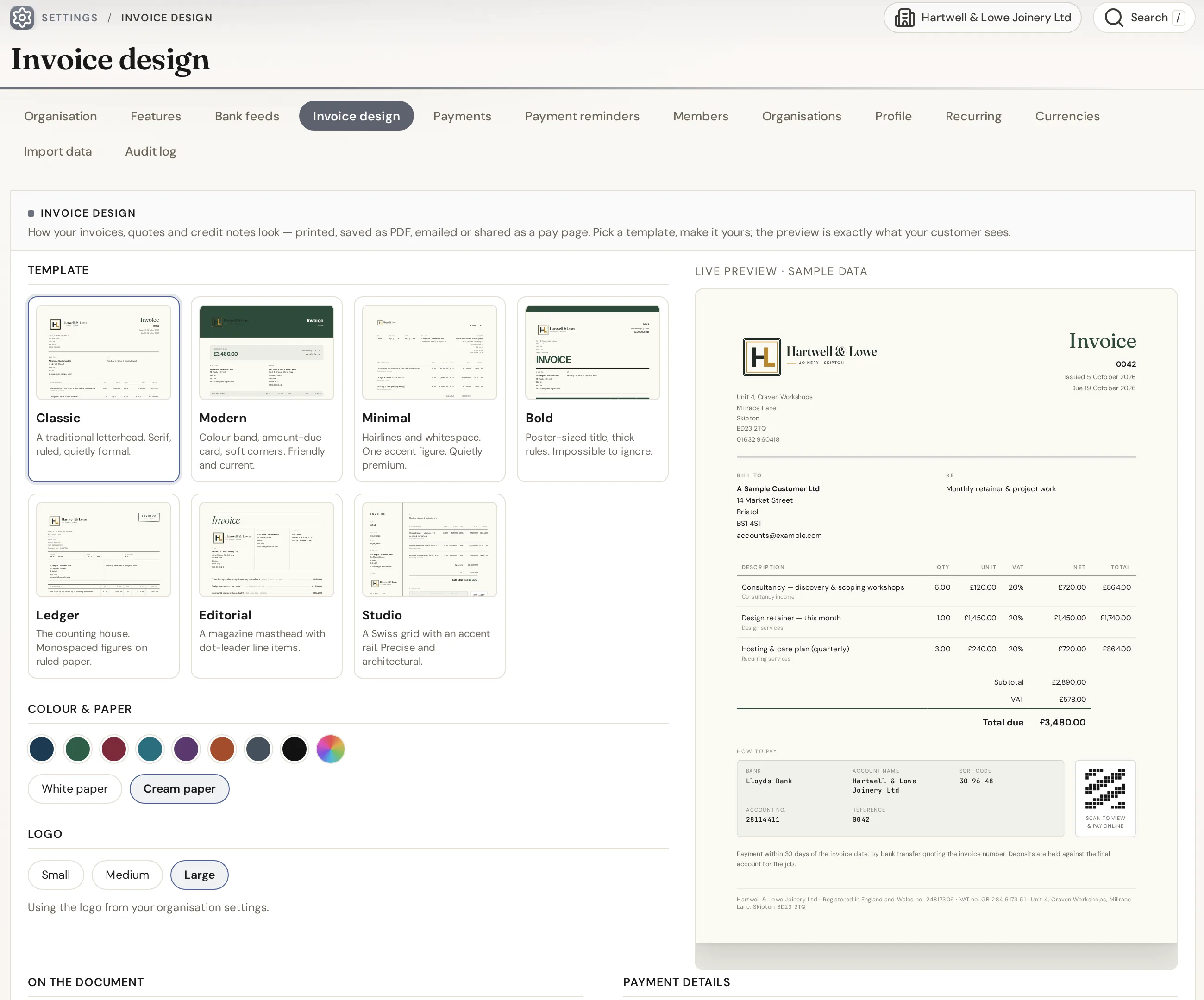
The seven designs on this page are IQ Books’ own invoice templates. In IQ Books you pick one as your house style, choose a colour and paper, and every invoice, quote and credit note follows it, on paper, on screen and on the pay page.
- Seven designs, eight colours, white or cream paper
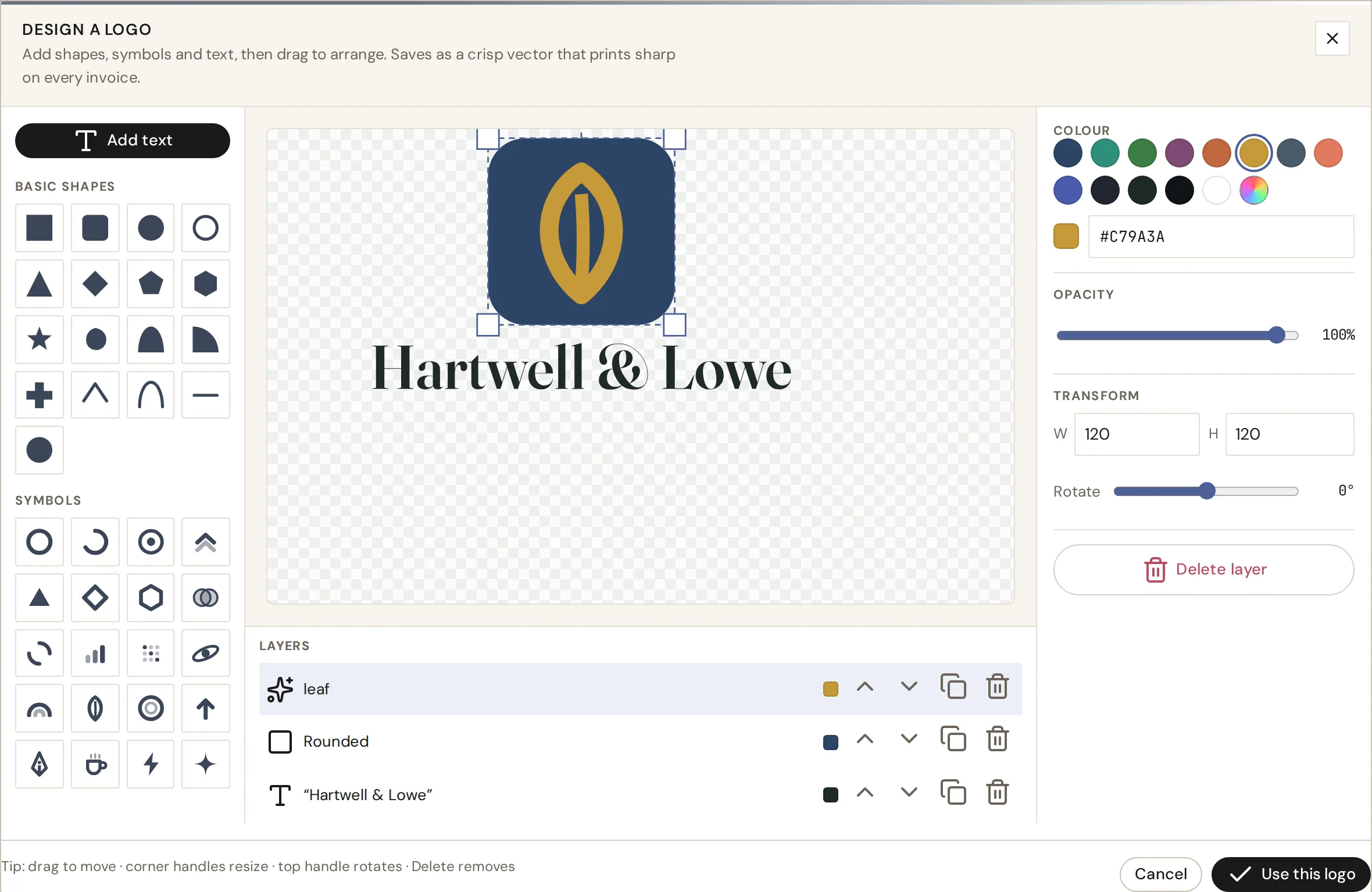
- Logo Studio: design a logo inside IQ Books, with shapes, symbols, text and layers, or upload your own
- Text in your logo is outlined, so it prints exactly as designed
02
Share a link. Get paid by card or bank.
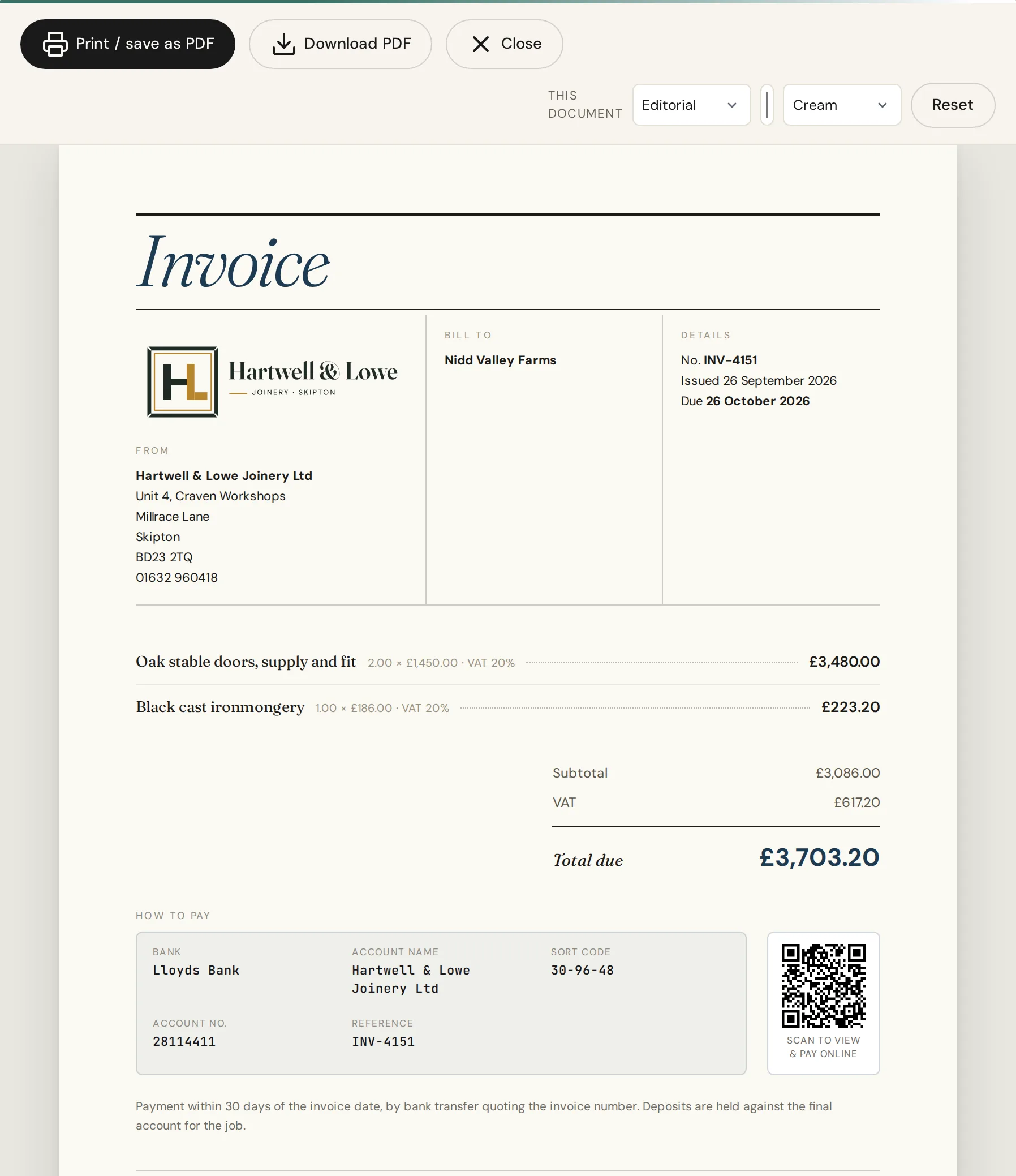
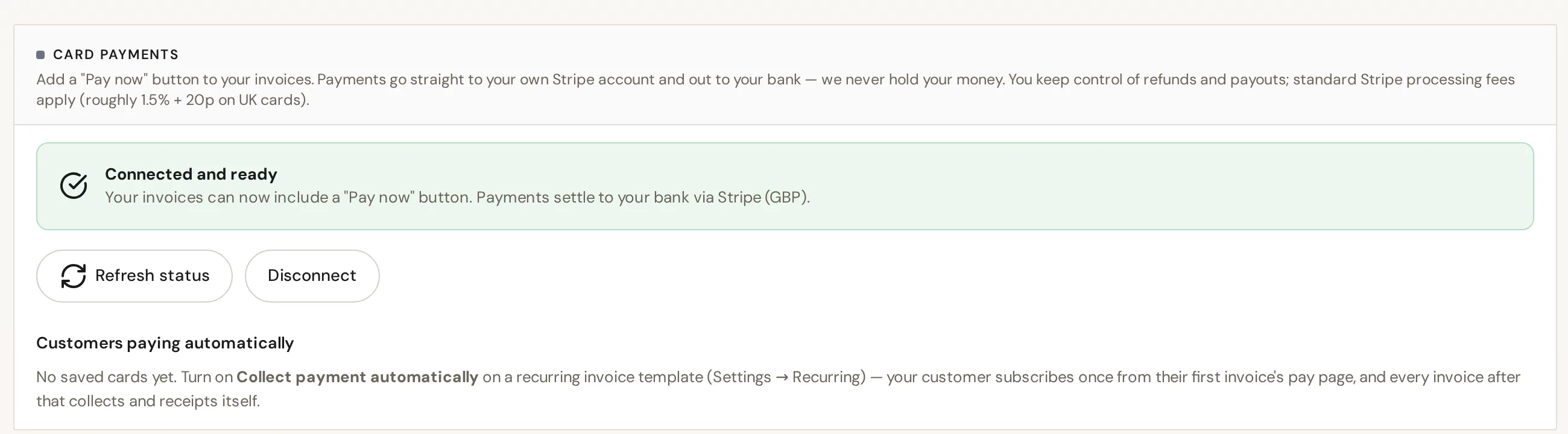
Every invoice gets its own pay page. Send the link however you like, and the invoice carries a scan-to-pay QR code too. Card payments go through your own Stripe account, so the money lands with you.
- A hosted pay page for every invoice, shared by link
- Scan-to-pay QR code printed on the invoice
- Card payments through your own Stripe account (Stripe’s fees apply), with bank details as the fallback
- Deposits: ask for part now, with the balance due later
03
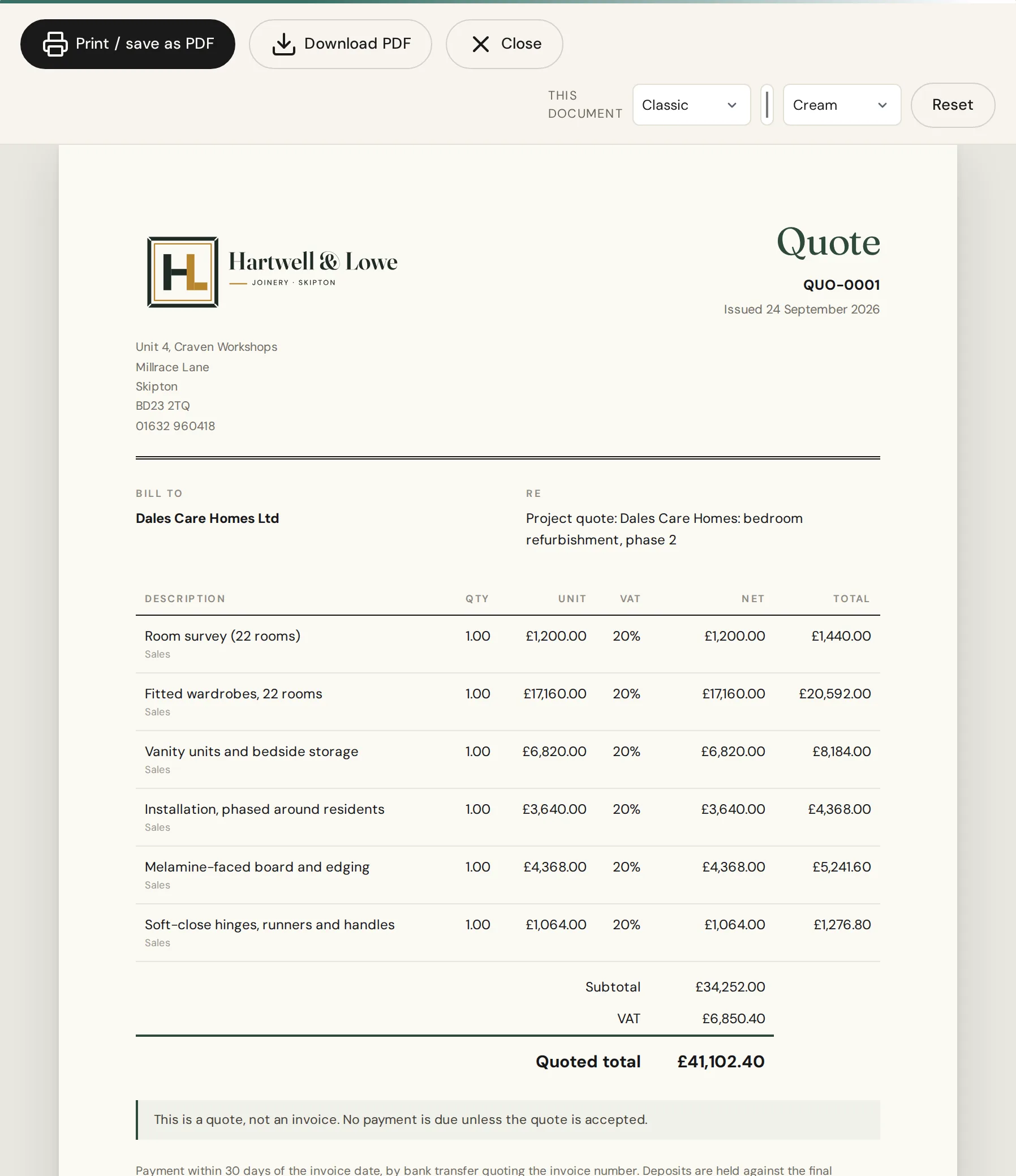
Quotes that turn into invoices
Raise the quote, then mark it accepted, declined or expired. An accepted quote becomes an invoice in one click, with every line carried across, so nothing is typed twice and nothing goes missing between the two.
- Accept, decline or let a quote expire, with the status kept
- Convert an accepted quote to an invoice in one click
- The same seven designs for quotes and invoices
04
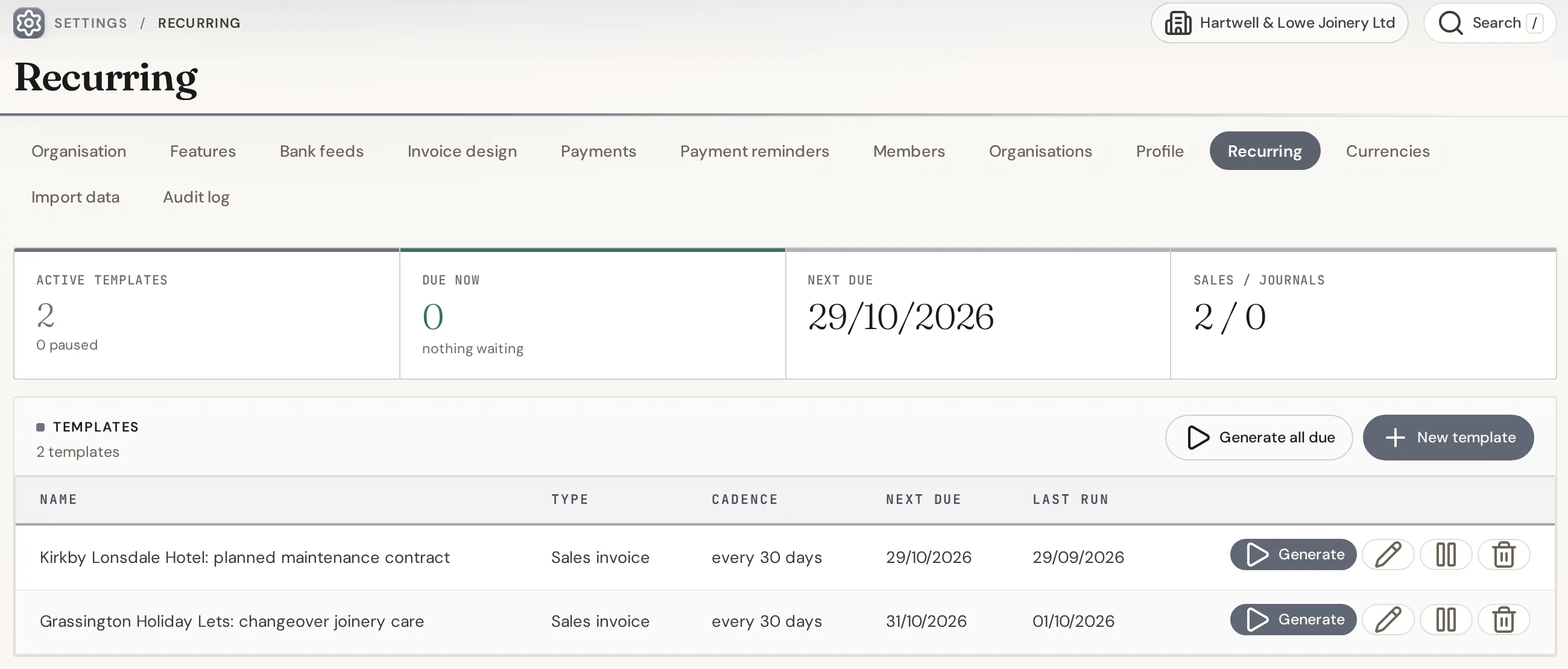
Invoices that raise themselves
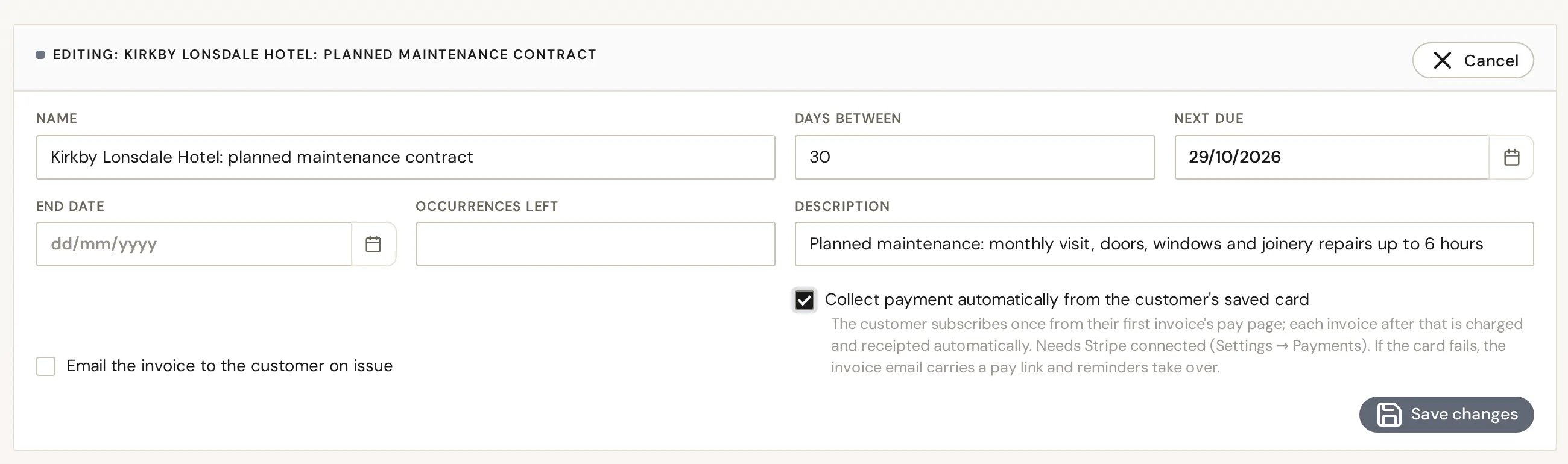
Retainers, rent, maintenance contracts: set the schedule once and IQ Books raises each invoice on the day. For customers who pay by card, a customer subscription collects automatically through your connected Stripe account.
- Recurring invoices on the cadence you set, with an optional end date
- Customer subscriptions with automatic card collection through your Stripe account
- On paid plans, recurring invoices can email themselves too
05
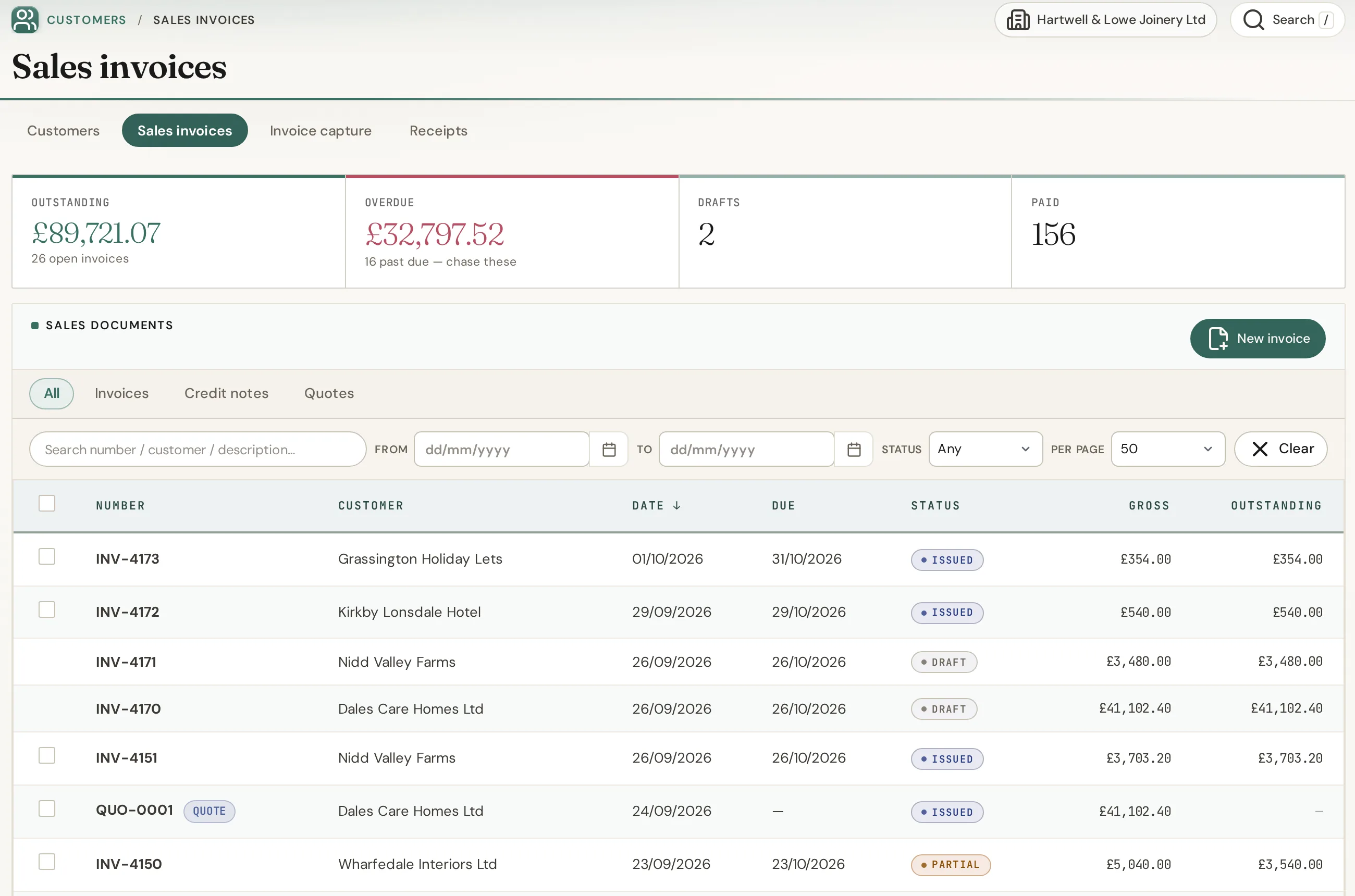
Know when it is opened, paid and in the books
See when an invoice has been opened and when it has been paid. The payment lands in your books against the invoice and matches the bank line it came in on, so there is nothing to reconcile by hand.
- Opened and paid, at a glance
- Payments matched to the bank line they arrived on
- Customer statements and aged debtors that stay right
06
On your phone, or just say it
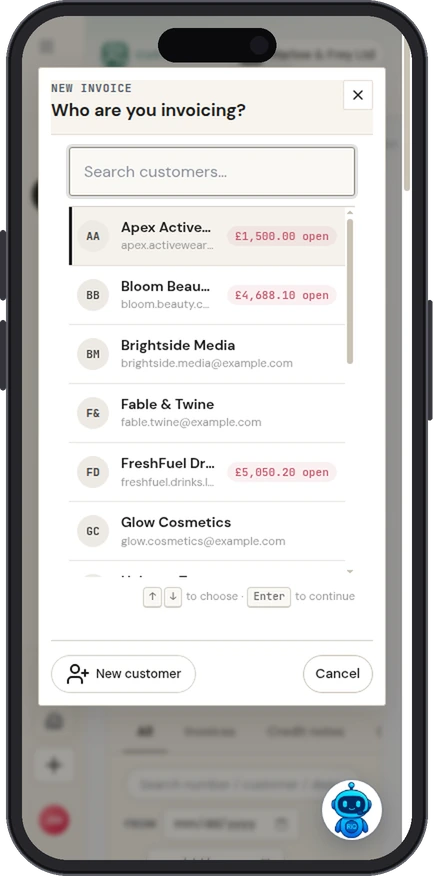
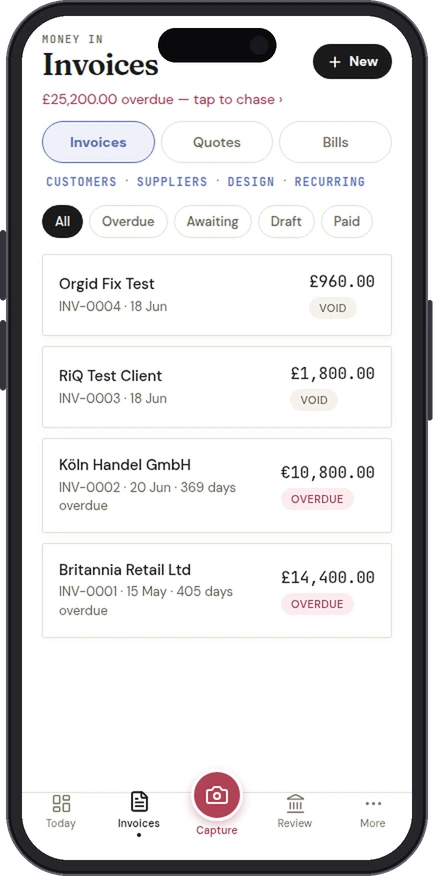
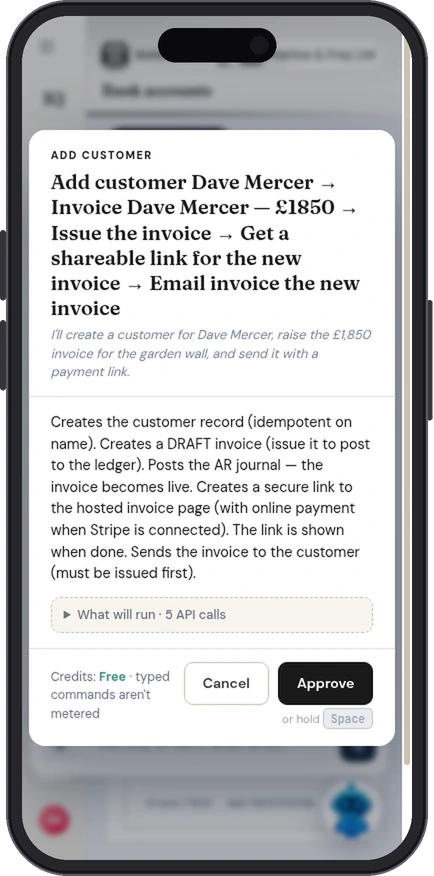
IQ Books works in your phone’s browser today, and the IQ Books app, coming soon to the App Store and Google Play, raises invoices and quotes with the pay link and QR code ready to show the customer. Or ask RiQ, the assistant built into IQ Books, to raise one by voice.
- Invoices and quotes from the phone, in any currency
- Show the QR code to be paid on the spot
- RiQ voice: “Invoice Nidd Valley Farms for two days at £450” (voice commands use credits)
07
Email it, and let reminders chase it
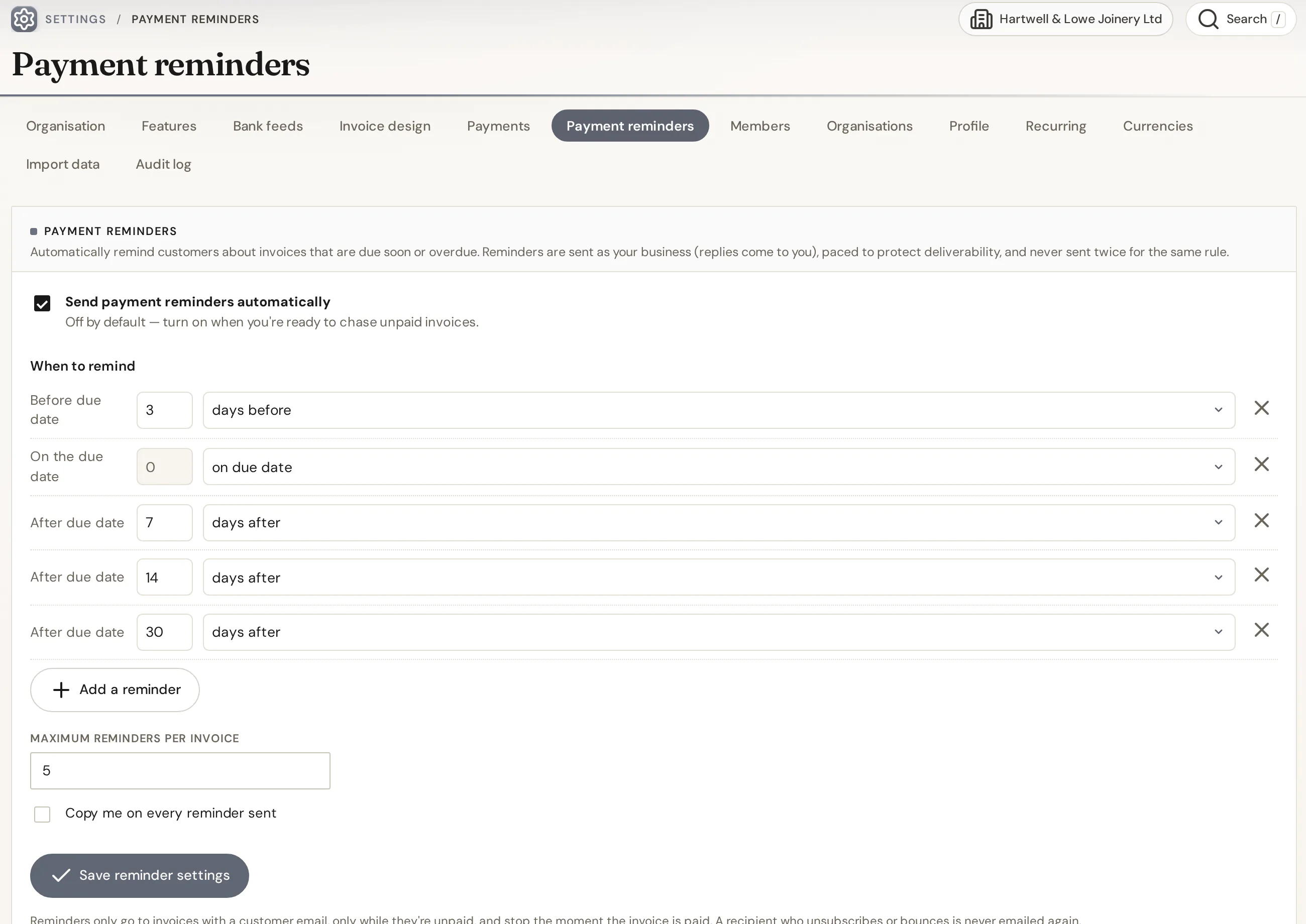
On a paid plan, invoices and quotes go straight from IQ Books to your customer’s inbox, and automatic reminders follow up on a schedule you set. They stop on their own when the invoice is paid.
- Email invoices, quotes and statements from the app
- Automatic payment reminders before and after the due date
- Paid plans start at £5 a month and include credits for automation
Everything above, free
One organisation with the whole IQ Books ledger: invoices, quotes and credit notes in all seven designs, Logo Studio, pay pages and QR codes, card payments through your own Stripe account, deposits, recurring invoices and subscriptions, customers and suppliers, bank, VAT returns and Making Tax Digital filing. Typing and coding by hand is always free; automation such as reading receipts and coding bank lines draws on 1,000 free credits.
Add email and reminders
Emailing invoices from the app and automatic payment reminders come with every paid plan, from £5 a month. Paid plans also carry monthly credits for the automation, so the bookkeeping keeps doing itself.
Guide
What a UK invoice has to show
There is no official HMRC invoice form. What the law asks for is a short list of details, and a few more if you are a limited company or VAT registered. The template above covers all of them; here is what each one is for.
Every invoice
- A unique identification number
- Your business name, address and contact details
- The name and address of the customer you are invoicing
- A clear description of what you are charging for
- The date the goods or service were provided (the supply date)
- The date of the invoice
- The amounts being charged, any VAT, and the total amount owed
If you are a sole trader
Show your own name as well as any business name you trade under. If you use a business name, give an address where legal documents can be delivered to you. The template writes this as “Jane Smith trading as Smith Plumbing” when you fill in both names.
If you are a limited company
Use the full company name exactly as it appears on the certificate of incorporation. If you put any director’s name on the invoice, you have to list all of them. Your company number, registered office and where the company is registered must appear on business letters, order forms and your website, and the template puts them in the invoice footer too, which is where customers expect to find them.
If you are VAT registered
A full VAT invoice adds your VAT registration number, the time of supply (tax point), and for each line the quantity, the VAT rate and the amount excluding VAT, then the total excluding VAT and the total VAT in sterling. Zero-rated and exempt items must show clearly that no VAT is due, with a separate total. For a supply of £250 or less, and if the customer agrees, a simplified VAT invoice is allowed. If you are not VAT registered, leave VAT off entirely: you cannot charge it or show a VAT number.
Payment terms and late payment
You can set your own terms. If you have not agreed a payment date, the customer must pay within 30 days of getting your invoice or the goods or service. Between businesses, an agreed payment date is usually within 60 days. If a business customer pays late you can claim statutory interest at 8% a year above the Bank of England base rate, plus a fixed sum for the cost of recovering the debt:
| Amount owed | Fixed sum you can claim |
|---|---|
| Up to £999.99 | £40 |
| £1,000 to £9,999.99 | £70 |
| £10,000 or more | £100 |
Numbering
Number invoices in one unbroken sequence, such as INV-0001, INV-0002, and never reuse a number. If an invoice was wrong, issue a credit note against it rather than deleting it, so the sequence still adds up.
Sources, checked 5 October 2026: GOV.UK: Invoices, what they must include; GOV.UK: Payment obligations; HMRC: VAT guide (VAT Notice 700), sections 16 and 17; GOV.UK: Late commercial payments, charging interest and debt recovery; GOV.UK: Running a limited company, signs, stationery and promotional material.
Questions
Frequently asked
About this template, and what IQ Books does with your invoices.
Is this invoice template free?
Yes. It is free with no sign-up and no limit on how many invoices you make. Save each one as a PDF with your browser’s Save as PDF, download a Word document, or print it.
What must a UK invoice include?
A unique invoice number, your business name, address and contact details, the customer's name and address, a clear description of what you are charging for, the supply date, the invoice date, the amounts charged, any VAT, and the total owed. Sole traders and limited companies have a few extra details, covered in the guide on this page.
Do I need to show VAT if I am not VAT registered?
No. If you are not VAT registered you cannot charge VAT or show a VAT number, so leave the VAT option switched off and the invoice will show a plain total.
What should a sole trader put on an invoice?
Your own name and any business name you trade under, plus an address where legal documents can be delivered to you if you use a business name. Everything else is the same as any other invoice.
Can I edit the invoice in Word?
Yes. The Word download opens in Microsoft Word, LibreOffice and Google Docs, so you can change the layout or wording after you download it. There is no separate Excel version.
How long does a customer have to pay an invoice?
Whatever you agree. If no payment date was agreed, the customer must pay within 30 days of getting your invoice or the goods or service. Business customers who pay late can be charged statutory interest.
Is anything I type stored or sent anywhere?
No. The invoice is built in your browser and nothing is sent to us. Your draft is kept in this browser only, so a refresh does not lose it, and Clear form removes it.
Can I send invoices like this from IQ Books?
Yes. IQ Books uses these same seven designs. On the free plan you can create invoices and quotes, share each one by a link to its own pay page, add a scan-to-pay QR code, take card payments through your own Stripe account and see when each invoice has been paid. Emailing invoices from the app and automatic payment reminders are on paid plans, from £5 a month.
Is IQ Books free?
Yes, there is a free plan. It gives one organisation the whole IQ Books ledger, including invoicing and quotes, customers and suppliers, bank, VAT returns and Making Tax Digital filing. Paid plans add emailing invoices and reminders from the app, plus monthly credits for automation.
Send it. Get paid. Keep the books.
Create invoices in these designs, share them by pay link, take card payments through your own Stripe account and see them land in your books, all on the free plan. Emailing and automatic reminders come with paid plans, from £5 a month.